Roblox Error Code 279 is one of the most common problems faced by beginners and mobile players. This error usually prevents Roblox games from loading properly and can be frustrating, especially if you don’t know what causes it.
In this guide, you’ll learn what Roblox Error Code 279 means, why it happens, and how to fix it step by step – even if you’re a beginner.
What Is Roblox Error Code 279?
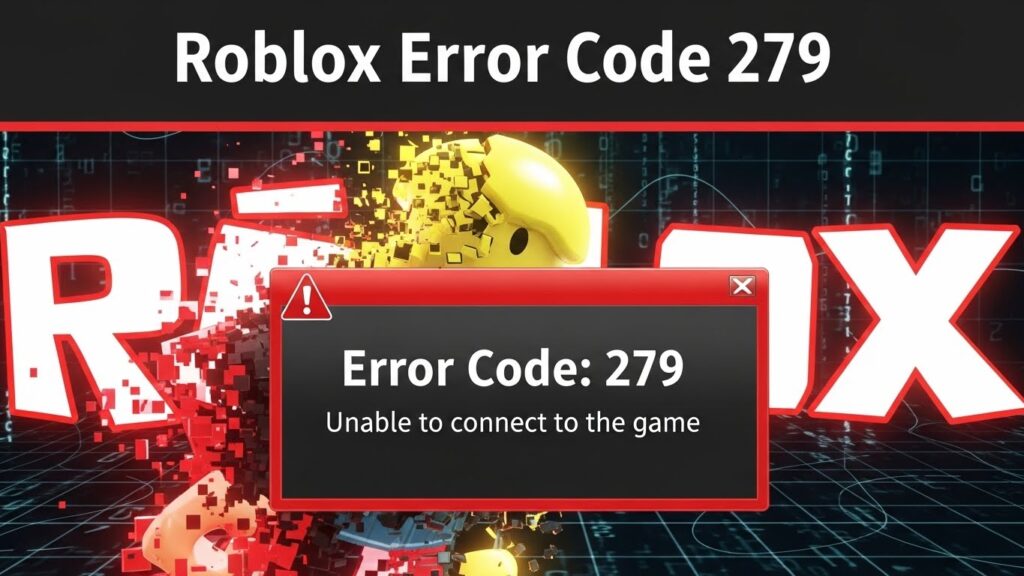
Roblox Error Code 279 appears when your device cannot connect to a Roblox game server.
This error usually shows messages like:
- Failed to connect to the game server
- Connection attempt failed
In simple terms, Roblox cannot communicate properly with its servers.
Common Causes of Roblox Error Code 279
Understanding the cause makes the fix much easier.
- Unstable Internet Connection
Weak or unstable internet is the most common reason for Error Code 279.
- Firewall or Security Restrictions
Firewalls or antivirus software may block Roblox connections.
- Browser or App Issues
Outdated browsers or corrupted app data can cause connection problems.
- Roblox Server Issues
Sometimes the problem is on Roblox’s side, not yours.
How to Fix Roblox Error Code 279 (Step by Step)
Follow these solutions in order. You don’t need to try all of them.
Solution 1: Check Your Internet Connection
- Switch to a stable Wi-Fi network
- Restart your router
- Avoid public or unstable networks
Tip:
Roblox requires a stable connection, not just fast internet.
Solution 2: Restart Roblox and Your Device
This simple step fixes many temporary bugs.
- Close Roblox completely
- Restart your phone or computer
- Open Roblox again
Solution 3: Disable VPN (Important)
Using a VPN often causes Error Code 279.
- Turn off VPN
- Restart Roblox
- Try joining the game again
Solution 4: Clear Roblox Cache (Mobile Users)
On Android:
- Go to Settings
- Apps → Roblox
- Storage → Clear Cache
⚠️ Do not clear data unless necessary.
Solution 5: Allow Roblox Through Firewall (PC)
If you play on PC:
- Open Firewall settings
- Allow Roblox Player and Roblox Studio
- Save changes and restart your PC
Solution 6: Update Roblox
Outdated versions can cause errors.
- Update Roblox from Play Store / App Store
- Or reinstall Roblox if needed
Solution 7: Check Roblox Server Status
Sometimes Roblox servers are down.
👉 Official Roblox status page: Status Roblox
If servers are down, wait until they are fixed.
Does Roblox Error Code 279 Affect Beginners?
Yes. Beginners experience this error more often because:
- They use unstable mobile networks
- They don’t know Roblox system requirements
- They use VPNs without realizing the impact
👉 If you are new, read this complete guide first: How to Play Roblox for Beginners
How to Prevent Roblox Error Code 279 in the Future
Follow these tips:
- Use a stable internet connection
- Keep Roblox updated
- Avoid VPNs while playing
- Close background apps
- Play on official Roblox servers
These habits reduce errors significantly.
Frequently Asked Questions (FAQ)
Why does Roblox keep showing Error Code 279?
Most likely due to internet issues, VPN usage, or firewall restrictions.
Can Error Code 279 be fixed?
Yes. In most cases, one of the solutions above fixes it completely.
Does reinstalling Roblox fix Error Code 279?
Yes, especially if the app files are corrupted.
Conclusion
Roblox Error Code 279 is annoying but easy to fix once you understand the cause. Most players solve it by fixing their internet connection, disabling VPNs, or updating Roblox.
If you’re a beginner, don’t worry – this error is common and not permanent. Follow the steps above, and you’ll be back to playing Roblox smoothly.